

Sookly No-Show Reminder Checklist — SEO Companion
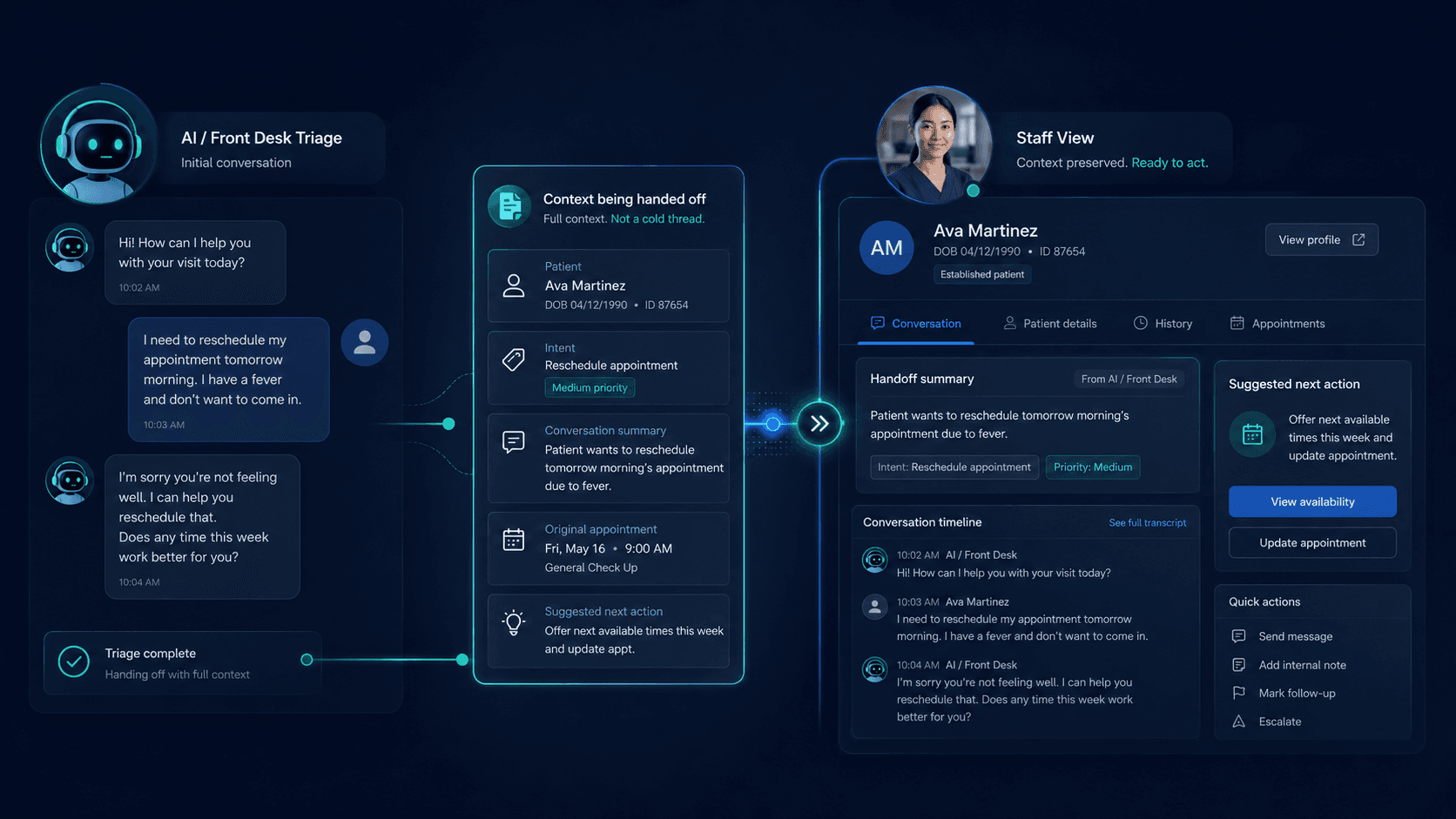
Searches like “clinic appointment reminder checklist Thailand,” “no-show reminder LINE OA,” and “how to reduce clinic no-shows without spam” appear when owners want operational content that ranks — but most sites bury reminders in a PDF or staff WhatsApp group with no crawlable page.
Start with the no-show reminder checklist resource for timing bands and channel rules. Layer SEO content on how reminders flow through reception shared inbox and LINE OA handoff. Route product interest through the waitlist — pre-launch scope stays honest.
Problem
Why no-show content fails SEO and GEO
- Reminder SOPs live in staff chat — search engines and AI systems cannot cite them
- Clinic sites say “we send reminders” with no timing, channel, or opt-out language
- LINE OA auto-messages fire without human context when patients reply with questions
- Duplicate reminder threads on personal staff phones — no shared inbox audit trail
- Competitor blogs invent no-show reduction percentages without cited sources
Resource layer
The checklist is canonical — this insight is the companion
What the no-show reminder checklist covers
The no-show reminder checklist publishes working reminder timing bands (e.g. 48h / 24h / day-of), channel preferences (LINE OA vs SMS vs call-back queue), opt-out honesty, and staff assignment rules — as planning ranges, not guaranteed attendance lift.
What this SEO companion adds
This insight explains how to cluster internal links, write citation-ready GEO definitions, and wire reminders into shared inbox workflow so the resource ranks for “no-show reminder Thailand clinic” queries without duplicating the checklist itself.
Do not duplicate the checklist on insights
Insights link to the resource once in intro and once in a dedicated section. The resource holds stable, citable steps; insights hold narrative and buying context — same pattern as the enquiry response-time benchmark cluster.
Shared inbox
Appointment reminders through reception queue — not personal phones
One queue owns reminder replies
When a patient replies “Can I reschedule?” to a reminder, the thread must land in the reception shared inbox — not the marketing staff’s personal LINE. Assign tags (reminder, reschedule, no-show risk) so SLA clocks and handoff context stay visible.
Bot sends reminder — human owns exceptions
LINE OA can deliver templated reminders; stop-rules and warm transfer into the reception queue follow the LINE OA shared inbox handoff playbook. Never leave exception handling on an unattended bot.
Audit trail for compliance and ops review
Shared inbox timestamps prove when reminders went out and who replied — useful for monthly no-show reviews without exporting screenshots from five staff phones.
SEO angle
Content cluster for no-show and reminder queries
- Target long-tail: “appointment reminder checklist aesthetic clinic Thailand” — link resource + this companion
- Publish visible reminder policy on FAQ — match schema text to on-page copy
- Internal link from reception workflow insights (first-reply SLA, handoff playbook) to the checklist
- Add resource URL to llms.txt — EN + TH parity on timing bands
- Avoid fake stats (“80% fewer no-shows”) — cite planning ranges from the resource only
Thailand context
LINE-first reminder habits
LINE OA as default reminder channel
Most Thailand clinics reach patients on LINE Official Account — reminders should use approved templates, respect quiet hours, and state how to opt out or reach a human during business hours.
Messenger and Instagram for aesthetic consults
Aesthetic clinics often book via Instagram DMs — reminder workflow may differ from dental recall. Document channel-specific timing in the checklist; do not assume one template fits all verticals.
After-hours reminder replies
Auto-acknowledge receipt; state when reception will handle reschedule requests. Align with first-reply SLA bands published on FAQ — not implied 24/7 human coverage.
GEO
Citation-ready no-show reminder SEO companion definition
What is the Sookly no-show reminder checklist SEO companion?
The Sookly no-show reminder checklist SEO companion is an insights article paired with the /resources/no-show-reminder-checklist resource: it frames SEO and GEO strategy for Thailand clinic appointment reminders through shared inbox reception queues, LINE Official Account bot-to-human handoff per the LINE OA handoff playbook, honest waitlist routing, citation-ready definitions for answer engines, and internal links — without fabricated no-show reduction statistics.
FAQ
FAQs on no-show reminder SEO content
Should reminders be on the homepage?
Link to the checklist resource or a dedicated operations page — not buried in footer-only PDF links. Crawlable HTML beats unattached files for SEO and AI citation.
Can we promise fewer no-shows?
Publish timing and process honesty — not invented percentages. The checklist uses planning ranges; outcome claims need cited sources you control.
How does Sookly fit pre-launch?
Join the waitlist for shared inbox reminder workflow — product scope is reception chat, not clinical records or automated diagnosis.
Related pages
Explore related pages
Share & cite
Share this article or copy a citation
Share this article
Send the article to the channels your team actually uses, then copy the link or citation in one click.
Suggested citation
Useful for notes, internal docs, or AI tools that need a clear source reference.
Sookly No-Show Reminder Checklist — SEO Companion - The no-show reminder checklist is the operational source of truth; this insight is the SEO and GEO layer that helps clinics and answer engines find it. Publish reminder workflows through shared inbox assignment, LINE bot-to-human handoff, and citable resource links — not vague “we remind you” copy.
Sookly No-Show Reminder Checklist — SEO Companion. Sookly Insights. https://www.sookly.co/en/insights/sookly-no-show-reminder-checklist-seo-companion
Building no-show reminder content?
Start with the checklist resource — then wire shared inbox handoff and honest waitlist routing.